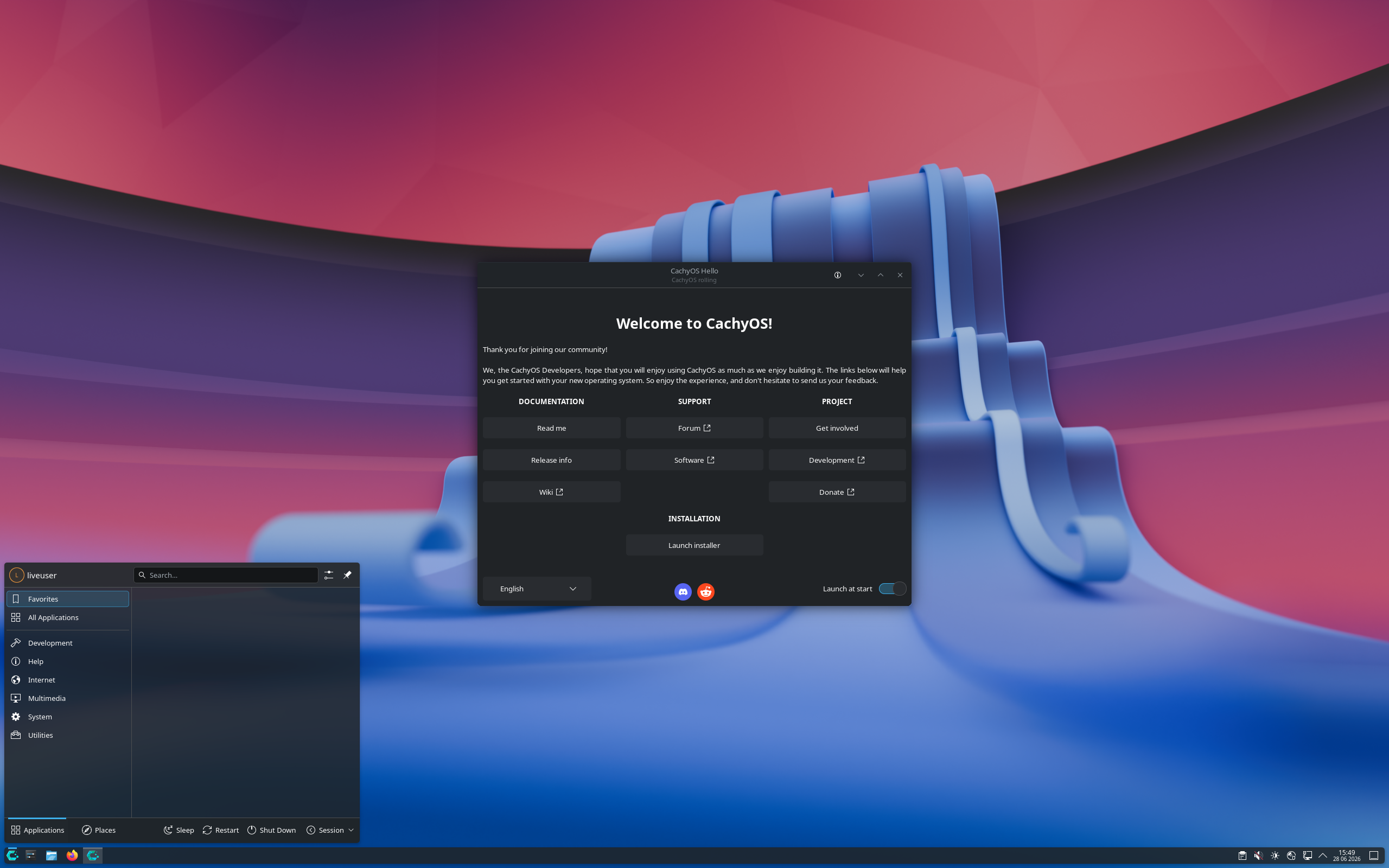
CachyOS Review
CachyOS: A Fast, Modern Arch Linux Experience Built for the Rolling-Release Crowd
Want the flexibility of Arch Linux without beginning from a blank terminal prompt? CachyOS delivers a graphical installation path, KDE Plasma by default, the Pacman package manager, and a rolling-release software model—all in a free x86_64 Linux distribution.
Linux users looking for a distribution that stays current often end up circling back to Arch Linux. The appeal is obvious: fresh packages, a huge software ecosystem, and a system that can be shaped around the way you work. The trade-off has traditionally been the setup process. CachyOS aims to make that road more approachable while retaining the Arch-style rolling-release foundation.
According to the CachyOS listing on DistroWatch, the distribution is free to download as an ISO image, uses a graphical installer, and ships with KDE Plasma as its default desktop in the current listed release. It is built for 64-bit x86 systems, uses systemd, supports Btrfs and ext4, and manages software with Pacman. Source: DistroWatch CachyOS package and feature table.
[adcmdr_ad id=”134″]
At a Glance
| Feature | What CachyOS Offers |
|---|---|
| Distribution family | Arch Linux–based rolling release |
| Current listed release | 250202, released February 2, 2025 |
| Desktop | KDE Plasma by default |
| Installer | Graphical installation |
| Package management | Pacman |
| Release model | Rolling release |
| Supported architecture | x86_64 |
| Filesystems listed | Btrfs and ext4 |
| Price | Free |
Feature details and version information are based on the DistroWatch CachyOS listing for release 250202.
Rolling Release Means the System Keeps Moving
CachyOS follows a rolling-release model rather than the traditional “install a major version, then wait six months or two years for the next one” approach. In practical terms, that means the system is designed to receive continuing package updates instead of requiring a full distribution upgrade between fixed releases.
For enthusiasts, developers, gamers, and people who like current kernels, desktop software, programming tools, and drivers, this can be a major draw. The package list associated with the February 2025 CachyOS release shows a notably current stack at the time, including Linux kernel 6.13.5, KDE Plasma Desktop 6.3.2, Mesa 25.0.0, Firefox 135.0.1, Python 3.13.2, PHP 8.4.4, and NVIDIA driver 570.124.04.
“Rolling release” does not mean “set it and forget it.” It means choosing a Linux system that rewards regular updates, attention to release notes, and sensible backup habits.
That distinction matters. A rolling distribution can be a fantastic daily driver, but it is best suited to users who are comfortable maintaining their machines rather than treating them like sealed appliances.
[adcmdr_ad id=”137″]
KDE Plasma by Default: A Desktop for Tinkerers and Professionals
The default desktop environment listed for CachyOS is KDE Plasma. That is a strong fit for a distribution aimed at people who enjoy control over their computing environment. Plasma can look clean and conventional out of the box, but it also offers deep customization for panels, window behavior, shortcuts, themes, workspaces, widgets, and workflow.
For someone coming from Windows, KDE Plasma can feel familiar enough to begin using immediately. For longtime Linux users, it offers the kind of configuration depth that makes a desktop feel genuinely personal. The DistroWatch listing identifies KDE Plasma as the default desktop for the current 250202 release, while earlier entries also listed GNOME as an available default option.
Why KDE Plasma Fits CachyOS
- It provides a polished graphical desktop for users who do not want to build a graphical environment manually.
- It is highly configurable, from simple visual changes to detailed workflow automation.
- It pairs naturally with a rolling-release model for users who want current desktop software.
- It offers a capable environment for development, media, browsing, gaming, and day-to-day productivity.
Pacman, Arch Roots, and a Current Software Stack
Under the hood, CachyOS uses Pacman, the package manager associated with Arch Linux. Pacman is known for its straightforward command-line workflow and for making it easy to keep an entire system updated from one place.
sudo pacman -SyuThat familiar command synchronizes package databases and upgrades installed packages. As always with a rolling-release distribution, it is wise to read relevant project announcements before large updates and to keep reliable backups—especially before kernel, graphics-driver, bootloader, or filesystem changes.
The DistroWatch package table also highlights the breadth of software available in the CachyOS ecosystem. Its listed packages include tools and applications such as Chromium, Firefox, Thunderbird, GIMP, Krita, Inkscape, LibreOffice, VLC, OpenSSH, Apache HTTP Server, MariaDB, PostgreSQL, PHP, Python, and Vim. In other words, CachyOS is not narrowly focused on one use case: it can be configured as a desktop workstation, development machine, creative system, home server testbed, or gaming PC.
Btrfs or ext4: Choose Your Foundation
| Filesystem | Why You Might Choose It |
|---|---|
| Btrfs | A feature-rich choice for users interested in snapshots, subvolumes, and flexible storage management. |
| ext4 | A long-established, straightforward filesystem that many Linux users know and trust for general-purpose installations. |
Neither option is automatically “best” for every computer. If you value familiar simplicity, ext4 remains a practical choice. If your workflow benefits from snapshot-oriented recovery and more advanced filesystem features, Btrfs may be worth a closer look. Either way, a backup stored on a separate device is still essential.
Who Should Try CachyOS?
CachyOS is especially interesting for users who want the energy of Arch Linux but prefer to begin with a graphical installation and a ready-to-use desktop.
- Linux enthusiasts who enjoy current packages and system customization.
- Gamers looking for a modern Linux desktop with recent kernels, Mesa components, and graphics-driver packages.
- Developers who want current versions of tools such as Python, PHP, GCC, OpenSSH, databases, and web-server software.
- KDE Plasma fans who want a polished, configurable desktop as the starting point.
- Experienced Windows switchers who want more control than a conservative fixed-release distribution typically offers.
On the other hand, CachyOS may not be the ideal first choice for someone who wants minimal maintenance, very infrequent updates, or maximum long-term stability over fresh software. Rolling release is a philosophy as much as a delivery method: it gives you a system that evolves continuously, and it asks you to stay engaged with that evolution.
[adcmdr_ad id=”133″]
Final Thoughts
CachyOS occupies an appealing space in the Linux world. It brings together the Arch Linux ecosystem, Pacman package management, a graphical installer, KDE Plasma, modern packages, and a rolling-release cadence in a free download aimed at 64-bit PCs.
Its DistroWatch profile paints a clear picture: this is a distribution for users who want their Linux desktop to stay current and who appreciate the ability to shape the system around their own needs. Whether you are building a gaming machine, a coding workstation, a creative desktop, or simply a faster-feeling daily driver, CachyOS is worth putting on the test-drive list.
Bottom line: CachyOS is not just “another Linux distribution.” It is an invitation to run a modern, continually evolving desktop on your own terms.
Source: DistroWatch: CachyOS feature and package table. Information cited in this post reflects the DistroWatch listing for CachyOS release 250202, dated February 2, 2025.