EndeavourOS Review
EndeavourOS 2026.04.27 “Titan”: The Arch-Based Rolling Release That Skips the Manual Install
Arch Linux’s rolling-release power without the arcane manual install: EndeavourOS pairs upstream Arch repositories with the Calamares installer and a customized KDE Plasma desktop. Here is what the DistroWatch listing says about the current “Titan” release.
EndeavourOS has a simple pitch, and it is right there in the project’s self-description: a terminal-focused, Arch-based distribution with a friendly community, designed to give you an easy setup and a pre-configured desktop on an Arch base. DistroWatch’s listing phrases it as the spiritual successor to the old Antergos project — “EndeavourOS is a rolling-release Linux distribution based on Arch Linux. The project aims to be a spiritual successor to Antergos, providing an easy setup and a pre-configured desktop environment on an Arch base.”
What makes it different from an ordinary Arch install is the two-installer system. Per the listing, “EndeavourOS offers both off-line and on-line install options. The off-line installer, Calamares, uses the KDE Plasma desktop by default. The on-line installer can install optional software components, including most popular desktop environments.” You download one ISO, and the choice of how much choice you want is yours.
The release currently listed by DistroWatch is 2026.04.27 “Titan” — the refreshed “Titan Neo” ISO of the March 2026 “Titan” release — with a listing release date of April 30, 2026. Because EndeavourOS is rolling release, the ISO version matters only for new installs: the listing’s own release notes remind users that an existing system just needs a regular sudo pacman -Syu to stay current. The distribution sits at rank 8 on DistroWatch’s popularity chart, with an average visitor rating of 8.6 out of 10 from 467 reviews.
At a Glance
| Feature | What EndeavourOS 2026.04.27 “Titan” Offers |
|---|---|
| Current listed release | 2026.04.27 “Titan” (Titan Neo refresh ISO), listed release date April 30, 2026 |
| Distribution base | Arch Linux |
| Release model | Rolling release — install once, update forever |
| Default desktop | KDE Plasma (offline installer default; online installer offers most popular desktops) |
| Package management | pacman; pkg (Arch) package format, pulled straight from Arch repositories |
| Installer | Calamares, with offline and online install options |
| Default browser | Firefox |
| Typical ISO size | Approximately 3.5 GB |
| Supported architectures | x86_64 |
| Init system | systemd |
| Price | Free |
Feature details and version information are based on the DistroWatch EndeavourOS listing for release 2026.04.27 “Titan”.
Rolling Release Without the Middleman: Pure Arch Repositories
The defining technical choice of EndeavourOS is what it refuses to do: it does not hold your packages back. Where some Arch derivatives maintain their own staging repositories, EndeavourOS pulls software straight from the Arch repositories and ships only a small set of its own tools on top — the result is a system that is about as close to vanilla Arch as you can get without running the Arch installer by hand.
That design shows up in the release model. DistroWatch’s listing marks no end-of-life date for the release, because on a rolling distribution there is no version to outlive — packages flow in as upstream releases them, and the “release” is really just a dated ISO snapshot. It is a different philosophy from our CachyOS review subject, which also rides the Arch rolling model but layers on aggressive performance optimization; EndeavourOS deliberately keeps its distance from upstream minimal, trading tuned kernels for maximum compatibility with Arch documentation and the Arch User Repository.
The practical consequence is freshness: new kernels, new drivers, and new application versions arrive within days of upstream, not months. The trade-off is the one every rolling release makes — you update regularly, through the terminal, and you read the occasional announcement when a major component changes. For users who find that exciting rather than exhausting, it is the whole appeal.
Two Installers, One ISO: Offline KDE or the Online Menu
The Calamares installer is where EndeavourOS earns its beginner-credibility-with-an-asterisk reputation. The offline path installs a customized KDE Plasma desktop — the DistroWatch feature table confirms Plasma as the default — and gets you from boot to working system in minutes, no command line required.
The online installer is where the distribution really opens up. It can fetch and install most popular desktop environments during setup, so the same ISO can produce an Xfce, MATE, Cinnamon, GNOME, Budgie, LXQt, Deepin, or i3 window-manager system, with community editions covering even more. That makes EndeavourOS an unusual kind of sampler: one download, many possible destinations. Readers comparing KDE experiences may also want to look at our Fedora review, where KDE arrives on a fixed six-month cadence instead of a rolling stream — same desktop, very different maintenance rhythm.
AWS Alternative - Digital Ocean
Titan’s Hardware Story: Automatic NVIDIA Detection
Recent DistroWatch release notes show where the project’s energy has been going: hardware. The “Ganymede” release notes describe automatic GPU detection during ISO boot, with the installer choosing the correct NVIDIA driver — the standard “nvidia” or the newer “nvidia-open” package — for the detected card. The follow-up 2026.01.12 notes record the project’s switch to “nvidia-open” as the default proprietary driver, tracking upstream NVIDIA changes.
Titan itself (2026.03.06, per DistroWatch’s news item) layered on improved mirror ranking with an optimized mirror list for offline installs, GPU drivers loaded early by default, additional Vulkan and hardware-accelerated video decoding packages where applicable, and a new eos-hwtool utility. The Titan Neo refresh then bumped the ISO’s component versions and fixed installer configuration details. For a distribution whose audience skews toward gamers and tinkerers, this is the right priority list — and it makes EndeavourOS a genuine alternative to Pop!_OS, whose whole identity is built around out-of-box NVIDIA and gaming support.
Terminal-First by Design: The Welcome App and the Forum
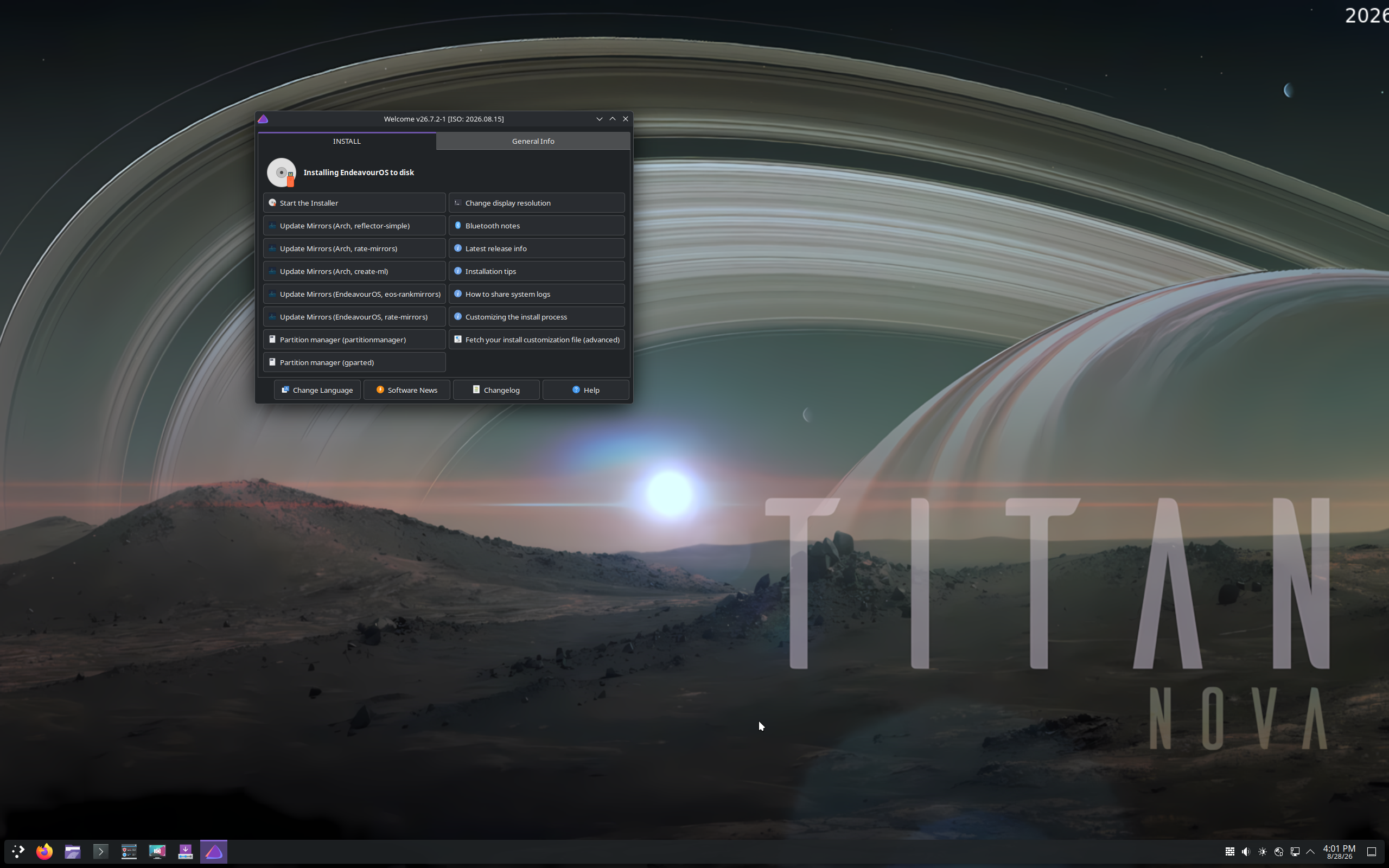
EndeavourOS does not hide the terminal; it organizes around it. Updates arrive via pacman commands, and the project’s own Welcome application — a small post-install dashboard — gives you one-click access to system updates, mirror ranking, and the project’s documentation. It is training wheels for the Arch way: the graphical helpers point you at the commands rather than replacing them.
That philosophy extends to support. The project leans on its forum community rather than a corporate help desk, and DistroWatch visitor reviews consistently single out that community as one of the friendliest and most knowledgeable in the Linux space. The 8.6/10 average across 467 reviews is one of the highest on the site — earned, by the reviewers’ own accounts, by a system that stays out of the way and a community that answers questions.
Who Should Try EndeavourOS?
EndeavourOS is not the safe, set-and-forget recommendation — that is Linux Mint territory — but for a specific audience it is close to ideal:
- Arch-curious users who want Arch’s repositories and documentation without the manual installation gauntlet.
- KDE Plasma fans who want the latest Plasma releases as they land, rather than waiting on a fixed-release schedule.
- Tinkerers comfortable with the terminal — updates, troubleshooting, and customization all assume you are not afraid of the command line.
- Gamers and NVIDIA users who benefit from fresh kernels, new Mesa releases, and the automatic driver handling added in recent releases.
- Distro-hoppers looking for a daily driver — the combination of upstream Arch packages and a curated installer is exactly why reviewers keep coming back.
Conversely, anyone who wants to install once and never think about updates should pick a fixed-release distribution instead. Rolling release is a lifestyle, and EndeavourOS is honest about it.
Final Thoughts
EndeavourOS 2026.04.27 “Titan” is the Arch shortcut done right: upstream Arch repositories with no staging delay, a Calamares installer that offers both a one-click KDE Plasma path and a full online desktop menu, pacman-based rolling updates, and recent releases focused on exactly the pain points — NVIDIA drivers, mirror speed, hardware detection — that used to make Arch derivatives fiddly. It is free, x86_64, ships Firefox on Plasma, and carries one of the best visitor ratings DistroWatch records.
If you have ever read the Arch installation guide, closed the tab, and wished someone would just do the first 80 percent for you, EndeavourOS is that someone — with a forum full of people happy to help with the remaining 20.
Source: DistroWatch EndeavourOS page (https://distrowatch.com/table.php?distribution=endeavour). Information cited in this post reflects the DistroWatch listing and release information for EndeavourOS 2026.04.27 “Titan”, listed release date April 30, 2026.