Kali Review
Kali Linux 2026.1: The Debian-Based Toolkit for Penetration Testing and Forensics
Kali Linux (formerly known as BackTrack) is a Debian-based distribution with a collection of security and forensics tools. That one sentence from DistroWatch tells you almost everything you need to know: this is not a general-purpose desktop trying to please everyone. Kali, maintained by Offensive Security and originating in Gibraltar, exists for one job — professional security testing and digital forensics — and it organizes the entire system around that job, from its timely security updates and ARM support to its seamless rolling upgrades.
The latest release listed on DistroWatch is Kali Linux 2026.1, released March 24, 2026. It is a project with a serious reputation: DistroWatch ranks it at 32 with 363 hits per day, and its average visitor rating of 9.4 out of 10 across 49 reader reviews is one of the highest of any distribution covered on this site. If you have not yet read our Debian review, it is worth a look — Kali is built on Debian Testing, and understanding that foundation explains a lot about how this distribution behaves.
DistroWatch files Kali under Data Rescue, Forensics, Live Medium, Raspberry Pi, and Security. That category list is effectively the mission statement: a live-bootable, ARM-friendly toolkit you can run from a USB stick, aimed squarely at people who test networks and recover data for a living. It is free, actively developed, and unapologetically specialized.
Kali Linux 2026.1 at a Glance
| Feature | Kali Linux 2026.1 |
| Release date | March 24, 2026 (per DistroWatch) |
| OS type | Linux |
| Based on | Debian (Testing) |
| Origin | Gibraltar |
| Desktop | GNOME, KDE Plasma, Xfce (default: Xfce) |
| Architectures | aarch64, x86_64 |
| Category | Data Rescue, Forensics, Live Medium, Raspberry Pi, Security |
| Status | Active |
| Release model | Rolling |
| Installer | Graphical |
| Default browser | Chromium, Firefox ESR |
| Package format | deb |
| Package management | apt |
| Init system | systemd |
| File systems | ext4, JFS, ReiserFS, XFS |
| Image size | 600–4600 MB |
| Price | Free |
| DistroWatch popularity | Rank 32 (363 hits per day) |
| Average visitor rating | 9.4/10 from 49 reviews |
| Previous releases | 2025.4 (December 12, 2025), 2025.3 (September 23, 2025) |
Not a Daily Driver — A Professional Toolkit
The most important thing to understand about Kali is what it is not. Most distributions on this site — Mint, Ubuntu, MX Linux — compete to be your everyday desktop. Kali does not. Its reader reviews on DistroWatch are written by security professionals, students, and red-teamers, and they judge it on completely different terms: are the tools current, does wireless injection work, can it boot on the target hardware.
That specialization shapes everything. The default application set is penetration-testing and forensics tooling rather than office software — DistroWatch lists no office suite at all, and the package tables show a security-first selection. ISO images range from a compact 600 MB up to 4.6 GB depending on the edition and desktop, because a full toolkit weighs more than a web browser and a terminal. The graphical installer is there if you want it on disk, but many users run Kali live from a USB stick: boot, test, shut down, leave no trace.
Try YouTube TV | Special Discount
Debian Testing Under the Hood, Rolling by Design
Kali’s rolling release model sets it apart from its Debian roots. Debian proper releases slowly and deliberately; Kali rides on top of Debian Testing and updates continuously, which matters enormously for security work — out-of-date testing tools are useless tools. DistroWatch’s description specifically calls out “timely security updates” and “seamless upgrades to newer versions,” and the rolling model is how Kali delivers them.
Underneath the specialist veneer, the machinery is familiar Debian: .deb packages managed by apt, systemd as the init system, and a modern package table — Linux kernel 6.18.12, systemd 259, Firefox ESR 140.8.0 and Chromium 145 in the 2026.1 release. Anyone comfortable in the Debian ecosystem will feel at home at the command line; the difference is what is preinstalled and how the system is tuned.
Your Choice of Desktop
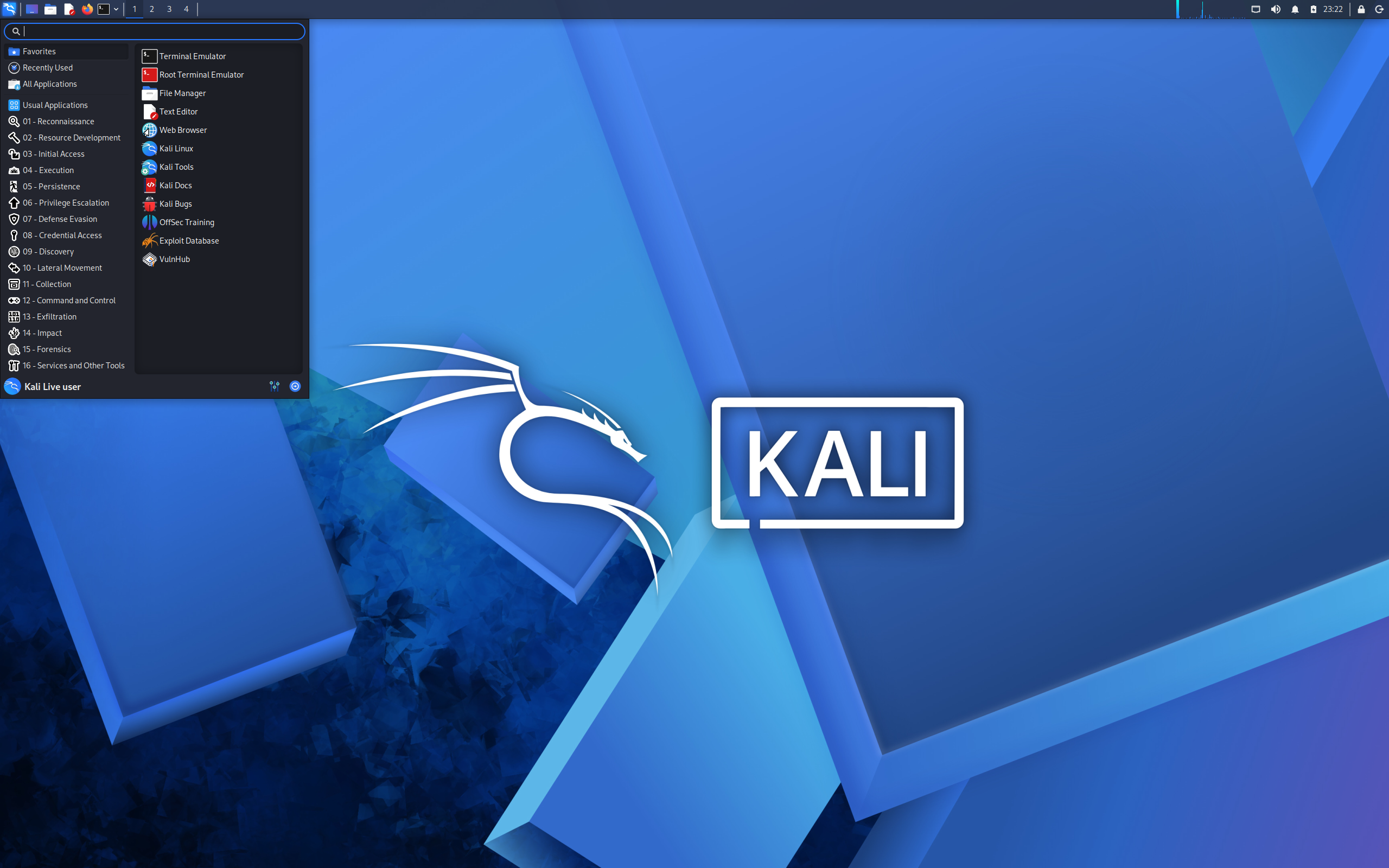
DistroWatch lists GNOME, KDE Plasma, and Xfce as the available desktops, with Xfce the default for the latest release. That default is a sensible call for a toolkit: Xfce is fast, frugal, and stays out of the way on modest hardware, including the ARM boards and older laptops that security testers routinely press into service.
Readers of our MX Linux review will find familiar ground here: another Debian-based system that defaults to Xfce and appeals to people who value a responsive, no-nonsense desktop. The difference is the payload — where MX ships a general-purpose desktop toolkit, Kali ships a security one. Both browsers ship by default too, Chromium and Firefox ESR, so web-based testing tools work out of the box.
Runs on x86_64 and ARM
DistroWatch lists aarch64 and x86_64 as the supported architectures, and the Raspberry Pi category entry confirms what the reader reviews keep repeating: Kali is a fixture on ARM hardware. Raspberry Pi builds are a first-class part of the project, which is why Kali shows up in so many hardware-hacking and wireless-testing setups.
The Live Medium category matters here too. Kali is designed to be booted from a USB stick or run in a virtual machine, tested against the task at hand, and discarded or updated — no commitment required. For an even lighter Debian-based live toolkit aimed at rescue and recovery rather than security testing, our antiX review covers a kindred spirit in the same family.
Get An Easy Personal Loan At Sofi
Who Should Try Kali Linux?
- Security professionals, penetration testers, and red-teamers who need a maintained, rolling toolkit with current tools.
- Students studying cybersecurity, ethical hacking, or digital forensics who want the industry-standard learning environment.
- Forensics analysts and incident responders who need a live-bootable system for data recovery and analysis.
- Raspberry Pi and ARM tinkerers building wireless-testing or hardware-hacking labs.
- IT administrators who want a live USB toolkit for auditing their own networks.
- Curious Linux users who want a general-purpose Debian-family desktop instead — our Linux Mint review covers the friendlier end of the spectrum.
Final Thoughts
Kali Linux 2026.1 is the rare distribution that knows exactly what it is and makes no apologies for it. The Debian Testing base gives it solid packaging and a huge software archive, the rolling model keeps its security tools current, and the 9.4/10 visitor rating across 49 DistroWatch reviews suggests it delivers on its promises for the people it serves.
If you do security work — or want to learn — Kali remains the default answer for good reason. Just go in with the right expectations: this is a specialist’s instrument, not a first Linux desktop. For everyone else, the Debian, MX Linux, antiX, and Mint reviews linked above cover the general-purpose side of the same family.
For release details, version history, and reader reviews, see the Kali Linux page at DistroWatch.