Linux Mint Review
Linux Mint 22.1 “Xia”: A Practical Desktop Linux Distribution Built for Everyday Use
Linux Mint has earned its reputation as one of the most approachable Linux distributions for desktop users. It combines a familiar graphical desktop, a straightforward installation process, long-term stability, and access to the enormous Debian/Ubuntu software ecosystem.
The current Linux Mint release listed by DistroWatch is Linux Mint 22.1 “Xia”, released on January 15, 2025. It is a fixed-release distribution available as a free download, with support listed through April 2027. Linux Mint 22.1 is offered with Cinnamon, MATE, and Xfce desktop environments, giving users a choice between a modern full-featured desktop, a traditional lightweight experience, and a resource-conscious option for older hardware. Source: DistroWatch Linux Mint comparison table
Why Linux Mint Remains Popular
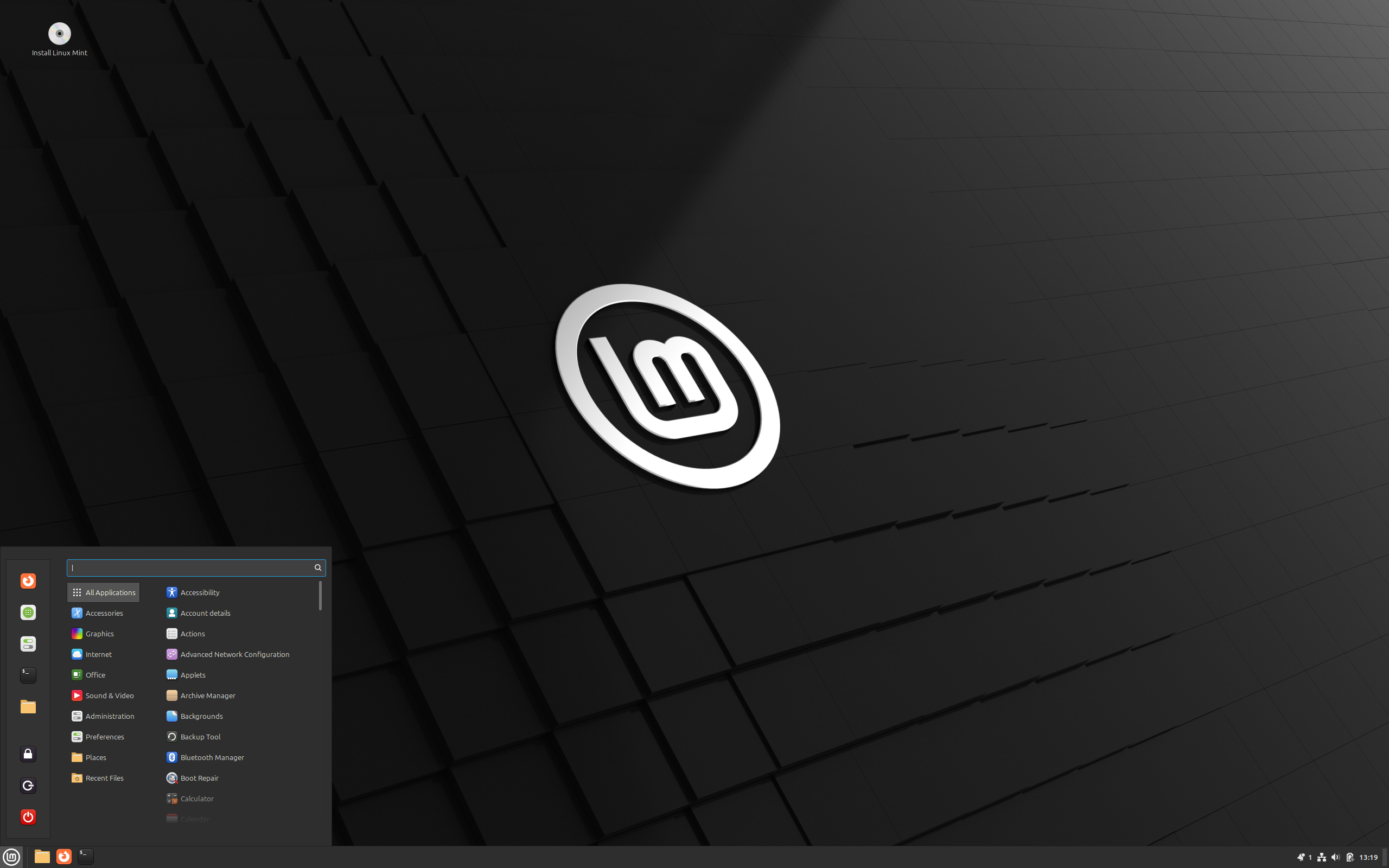
For people moving from Windows, returning to Linux after several years away, or simply looking for a reliable desktop operating system, Linux Mint focuses on reducing friction. The Cinnamon edition in particular uses a conventional layout: an application menu, taskbar, system tray, window controls, file manager, settings tools, and desktop shortcuts all work in ways that feel immediately recognizable.
That familiarity does not mean Mint is limited to beginners. It is still a full Linux environment with access to terminal tools, development packages, services, virtualization, containers, scripting, SSH, web-server software, and a large catalogue of desktop applications. It can work equally well as a daily desktop, a home-office machine, a lightweight media computer, or a practical Linux workstation.
[adcmdr_ad id=”138″]
Linux Mint 22.1 at a Glance
| Feature | Linux Mint 22.1 “Xia” |
|---|---|
| Release date | January 15, 2025 |
| Listed end of life | April 2027 |
| Cost | Free |
| Installation method | Graphical installer |
| Desktop choices | Cinnamon, MATE, and Xfce |
| Package formats | DEB and Flatpak |
| Release model | Fixed release |
| Included office suite | LibreOffice |
| Supported architecture | x86_64 |
| Init system | systemd |
| Supported journaled file systems | Btrfs, ext3, ext4, JFS, ReiserFS, and XFS |
| Typical ISO size | Approximately 2.8 GB to 3.0 GB |
Table note: The surrounding scrolling container is intentional. It prevents a wide table from breaking a mobile layout and lets visitors scroll horizontally when necessary.
Replace the existing **“Choosing Between Cinnamon, MATE, and Xfce”** section with this updated version. It adds Linux Mint Debian Edition (LMDE) and clarifies that it is a Debian-based Mint variant rather than simply another desktop-environment edition.
[adcmdr_ad id=”136″]
Choosing Between Cinnamon, MATE, Xfce, and LMDE
Linux Mint offers three primary desktop editions—Cinnamon, MATE, and Xfce—along with Linux Mint Debian Edition, commonly known as LMDE. Cinnamon, MATE, and Xfce primarily differ in their desktop environment and resource usage. LMDE is different: it uses Cinnamon as its desktop interface but is based directly on Debian rather than Ubuntu.
| Edition or Option | Best for | Base and Desktop | General Character |
|---|---|---|---|
| Cinnamon | Most desktop and laptop users | Ubuntu-based Linux Mint with the Cinnamon desktop | Modern, polished, and familiar; usually the best starting point for users with reasonably current hardware. |
| MATE | Users who prefer a traditional desktop workflow | Ubuntu-based Linux Mint with the MATE desktop | Conservative, efficient, and built around a classic desktop design. |
| Xfce | Older systems or users prioritizing lower resource use | Ubuntu-based Linux Mint with the Xfce desktop | Lightweight, responsive, and highly configurable without demanding as much from the system. |
| LMDE | Users who want the Linux Mint experience on a direct Debian base | Debian-based Linux Mint with the Cinnamon desktop | A Mint edition designed to provide a Debian-based alternative while retaining the familiar Cinnamon-focused Mint desktop experience. |
For most people installing Linux Mint on a modern PC, the standard Cinnamon edition is the natural starting point. MATE and Xfce are especially useful when a more traditional interface or lower resource use is important. LMDE is best viewed as a separate Debian-based Mint option: choose it if you specifically prefer Debian as the foundation while still wanting Linux Mint’s tools, workflow, and Cinnamon desktop.
“`
AWS Alternative - Digital Ocean
Software, Updates, and Daily Use
Linux Mint uses the DEB package format and supports Flatpak applications. That combination gives users two practical ways to install software: traditional distribution packages for core system tools and common utilities, plus Flatpak for many current desktop applications that benefit from bundled dependencies and sandboxing.
The distribution also includes LibreOffice as its office suite, making it possible to create and edit documents, spreadsheets, and presentations immediately after installation. Its fixed-release model emphasizes predictable versions and a stable base rather than continuously changing packages.
Under the hood, Mint 22.1 uses systemd and supports several journaled file systems. The listed options include Btrfs, ext3, ext4, JFS, ReiserFS, and XFS. For most desktop installations, ext4 remains the familiar default choice, while Btrfs can be appealing to users who want snapshot-oriented workflows and more advanced storage features.
Who Should Consider Linux Mint?
- Windows users who want a desktop layout that feels familiar without giving up the flexibility of Linux.
- Linux newcomers who want a graphical installer and a complete system that is useful immediately after setup.
- Users with older computers who may benefit from the MATE or Xfce editions.
- Home users who need web browsing, email, media playback, document editing, printing, and basic file sharing.
- Technical users who want a stable Debian/Ubuntu-style environment for development, scripting, server administration, or local experimentation.
[adcmdr_ad id=”133″]
Final Thoughts
Linux Mint 22.1 “Xia” represents the distribution’s core strengths: it is free, stable, straightforward to install, and adaptable to different kinds of desktop hardware. With Cinnamon, MATE, and Xfce editions; DEB and Flatpak software options; LibreOffice included; and support listed into 2027, it remains a compelling choice for anyone who wants Linux to be practical first and complicated only when they choose to make it so.
For release details, package versions, and the broader version history, see the Linux Mint page at DistroWatch.
2 thoughts on “Linux Mint Review”