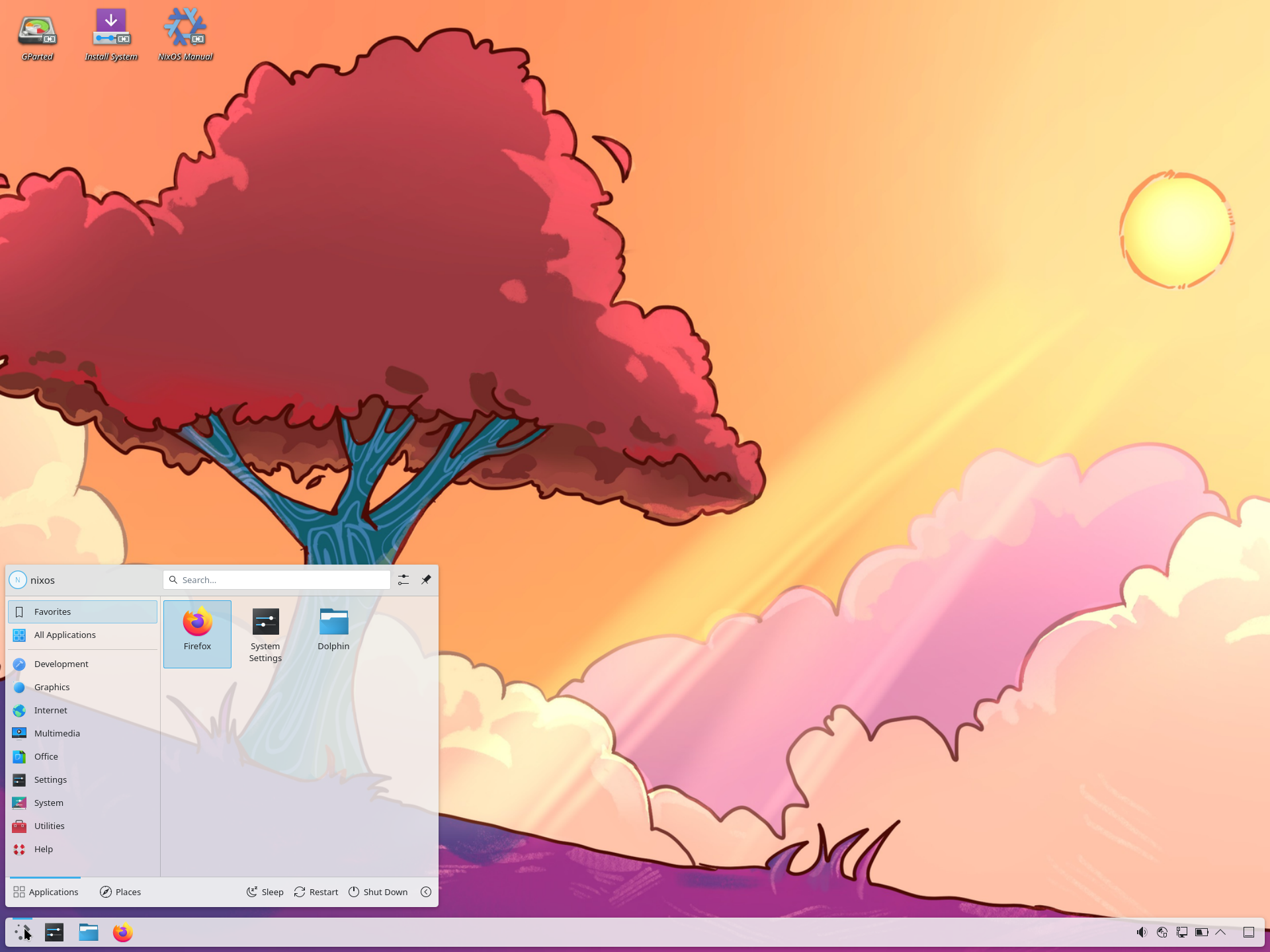
NixOS Review
NixOS 26.05 “Yarara”: A Linux Distribution You Declare, Not Just Install
Want a Linux system where the entire operating system — kernel, applications, and every configuration file — is built from a single declarative configuration? NixOS 26.05 “Yarara” does exactly that with the Nix package manager, delivering atomic upgrades, painless rollbacks, and reproducible system setups in a free download for x86_64 and ARM64 machines.
Most Linux distributions ask you to install the system and then configure it: edit this file, install that package, and hope you remember what you changed six months later. NixOS, an independently developed distribution originating from the Netherlands, takes the opposite approach. According to its DistroWatch listing, in NixOS the whole operating system is built by the Nix package manager, all packages are stored in isolation in /nix/store (there are no /bin, /sbin, /lib, or /usr directories in the traditional sense), and upgrades are designed to be reliable and reversible.
That makes NixOS a very different animal from the conventional point-and-click distributions. It is closer in spirit to the great independent server workhorses — if you prefer the classic approach to system administration, start with our Debian review — but it adds something no traditional distribution can offer: a system you can version-control like source code.
At a Glance
| Distribution family | Independent |
| Current listed release | 26.05 “Yarara”, released May 30, 2026 |
| Default desktop | GNOME and KDE Plasma |
| Installer | Calamares (graphical) |
| Package management | Nix (nixpkg format) |
| Release model | Fixed release |
| Supported architectures | x86_64, aarch64 |
| Init system | systemd |
| DistroWatch categories | Declarative, Desktop, Live Medium, Server |
| Price | Free |
Feature details and version information are based on the DistroWatch NixOS listing for release 26.05.
The Whole System in One Configuration File
The defining idea of NixOS is declarative system management. You describe the desired state of your machine — which services run, which packages are installed, how the desktop is arranged — in a single configuration file, and NixOS builds that exact state. DistroWatch highlights the key benefits: reliable upgrades, rollbacks, reproducible system configurations, a source-based model with binaries, and multi-user package management.
The rollback story is the killer feature. Because every system generation is kept around, a bad upgrade is not a crisis: you can simply boot the previous generation and keep working. Few distributions treat broken updates as casually as NixOS does. It also means two machines built from the same configuration file are genuinely identical — a property developers and server administrators dream about.
For all its research-project DNA, the distribution is thoroughly usable as a daily system: the listing notes hardware detection support, systemd for managing services, and a graphical Calamares installer that NixOS adopted in 2022.
Refinance Your Student Loan At Sofi
A Desktop Menu That Keeps Going
NixOS does not lock you into one desktop. The DistroWatch table lists an unusually long roster of available environments: Awesome, COSMIC, Enlightenment, Fluxbox, GNOME, i3, IceWM, KDE Plasma, labwc, LXQt, mangowm, Ratpoison, Wayfire, and Xfce. For the current 26.05 release, GNOME and KDE Plasma are listed as the default options.
That breadth matters. Tiling-window-manager fans get i3, Awesome, Ratpoison, and labwc; traditionalists get Xfce, LXQt, and KDE Plasma; and the curious get the new COSMIC desktop. If you are specifically after a polished KDE Plasma experience on an independent distribution with strong server credentials, our openSUSE review covers another excellent option — but NixOS’s declarative twist applies to whichever desktop you pick, since the desktop itself is just more configuration.
AWS Alternative - Digital Ocean
Nix: A Package Manager Built Like a Time Machine
Under the hood, everything flows through Nix and the nixpkg package format. Each package lives in its own isolated directory under /nix/store, so different versions of the same library can coexist without conflicts. Installing software does not disturb what is already there, and removing it cannot leave the system in a half-broken state.
Applying a new configuration is a single command:
nixos-rebuild switch --upgrade
If the result is not to your liking, reboot into the previous generation — the old system is still intact. Compare that to a conventional upgrade, where rolling back usually means restoring from backup and crossing your fingers. DistroWatch also notes NixOS’s install media is built reproducibly, which means the ISO you download can be independently verified to match the project’s source — a rare and welcome guarantee.
Fixed Releases with Fresh Packages
NixOS follows a fixed-release model with two releases per year, and the package table for 26.05 shows a modern stack: Linux kernel 7.1, Python 3.14.4, Firefox 151.0.2, KDE Plasma Desktop 6.6.5, GNOME Shell 50.1, Mesa 26.1.2, GCC 16.1.0, systemd 260.1, Git 2.54.0, OpenSSH 10.3p1, PostgreSQL 18.4, and Flatpak 1.16.6.
The fixed-release cadence gives NixOS a calmer upgrade rhythm than a rolling distribution, while the Nix machinery makes even the big jumps between releases far less dramatic than on traditional systems. If you want a fixed release paired with a GNOME-first desktop and a developer-friendly toolset, our Fedora review is worth reading next — but NixOS remains the only mainstream option where the entire release is reproducible from one file.
Who Should Try NixOS?
NixOS is a special-purpose tool that happens to work as a general-purpose system. It shines brightest for:
- Developers and DevOps engineers who want development environments and servers defined as code, reproducible down to the package hash.
- System administrators who value atomic upgrades and instant rollbacks on servers — DistroWatch lists “Server” as one of the distribution’s categories.
- Power users and tinkerers who enjoy shaping a system by hand. If that describes you, our Arch Linux review is the classic reference point for the imperative, do-it-yourself approach; NixOS is its declarative mirror image.
- Reproducibility-minded users — researchers, students, and hobbyists who want to share an exact system configuration with someone else and have it just work.
- Multi-desktop households where one machine might run KDE Plasma, another GNOME, and a third i3 — all from the same underlying system design.
On the other hand, NixOS has a learning curve that casual users will feel. The declarative model means you cannot just install software the old way and forget about it; everything flows through the configuration. Someone looking for a familiar, low-maintenance desktop with minimal new concepts may be happier elsewhere.
Final Thoughts
NixOS occupies a genuinely unique position in the Linux world. It is an independent, free distribution with a Calamares installer, a huge choice of desktops, and a modern package set — and underneath all of that, a radical idea: the operating system as a build artifact, generated from a single human-readable file, upgradeable and rollable-back at will.
Its DistroWatch profile tells the story plainly. Ranked #20 with 524 hits per day at the time of writing, NixOS is not the distribution everyone runs — but it is the distribution that quietly changes how you think about what an operating system is. Whether you are provisioning servers, standardizing developer machines, or just tired of “it worked on my machine,” NixOS 26.05 “Yarara” earns a place on the test-drive list.
Bottom line: NixOS asks more of you up front than a conventional distribution — and gives you a system you can rebuild, share, and roll back with a confidence few others can match.
Source: DistroWatch NixOS feature and package table. Information cited in this post reflects the DistroWatch listing for NixOS release 26.05 “Yarara”, dated May 30, 2026.