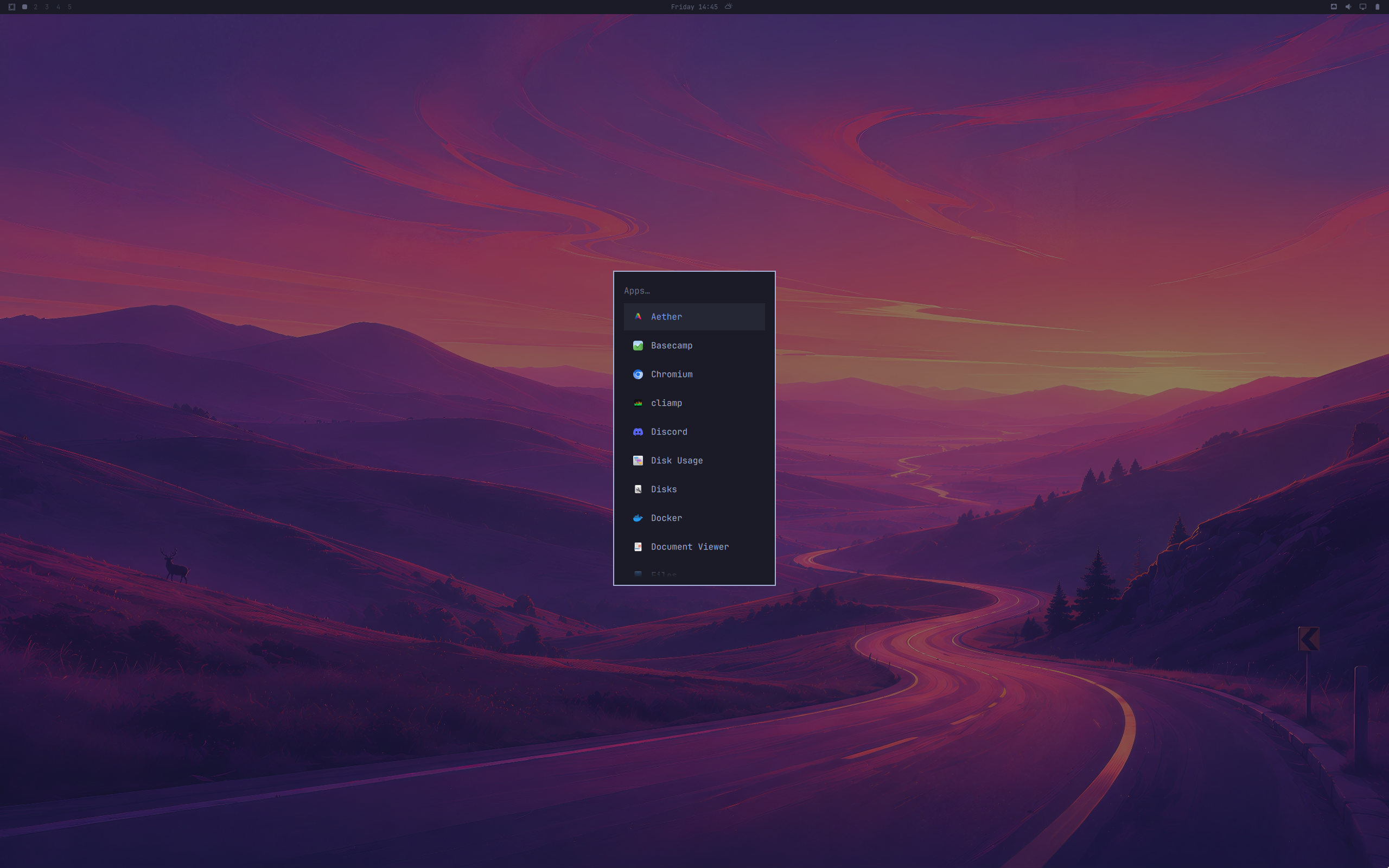
Omarchy Review
Omarchy 4.0: The Arch-Based Tiling Desktop Built for Developers Who Want to Be Coding in Five Minutes
Hyprland tiling by default, Neovim and a Vim-first terminal, Arch’s rolling repositories, and an installer that goes from bare metal to a polished desktop in under five minutes. Here is what the DistroWatch listing says about Omarchy 4.0.
Omarchy has a clear opinion about who it is for, and it is printed right in the project’s self-description on DistroWatch: developers “often forced to choose between two frustrating extremes” — bloated operating systems that try to be everything to everyone, and ultra-minimalist, build-it-yourself distributions that demand “hours — if not days — of painstaking configuration, compiling, and troubleshooting just to get a functional desktop environment up and running.” Omarchy, per the listing, “shatters this false dichotomy, delivering an elegantly streamlined, developer-focused experience that respects both your time and your workflow.”
That pitch puts it in a busy family. Readers of our EndeavourOS review will recognize the same starting point — Arch Linux underneath, a friendly setup experience on top — but where EndeavourOS is deliberately close to vanilla Arch with a choice of desktops, Omarchy commits to one specific workflow: a tiling Hyprland desktop, pre-curated developer tooling, and an install the listing describes as taking “under five minutes” from a fresh, unformatted drive to a fully functioning environment.
The release currently listed by DistroWatch is Omarchy 4.0.2, released August 31, 2026, following the Omarchy 4.0.0 announcement of August 14, 2026. It is a rolling-release distribution, free to download as an ISO (roughly 5.9 to 6.0 GB), built for 64-bit x86 systems. It sits at rank 17 on DistroWatch’s popularity chart (about 535 hits per day), with an average visitor rating of 8.8 out of 10 from 54 reviews — and the short-term numbers are even stronger, with the one-week ranking up at number 5 (about 1,183 hits per day).
At a Glance
| Feature | What Omarchy 4.0 Offers |
|---|---|
| Current listed release | Omarchy 4.0.2, released August 31, 2026 (4.0.0 announced August 14, 2026) |
| Distribution base | Arch Linux |
| Release model | Rolling release |
| Default desktop | Hyprland (tiling window manager) |
| Package management | pacman; pkg (Arch) package format |
| Installer | Text-mode installer (Archinstall) that downloads the latest packages from the Arch Linux repositories during installation |
| Default browser | Chromium |
| Included applications | Neovim, Alacritty, Typora, Spotify, Zoom, LibreOffice |
| Supported architecture | x86_64 |
| Init system | systemd |
| Listed journaled file systems | Btrfs, ext4 |
| Typical ISO size | Approximately 5.9 to 6.0 GB |
| Price | Free |
Feature details and version information are based on the DistroWatch Omarchy listing for release 4.0.2.
Hyprland by Default: A Tiling Desktop You Don’t Have to Assemble
The single most distinctive choice on the Omarchy listing is the default desktop: Hyprland, the Wayland-based tiling window manager. For readers coming from floating desktops like GNOME or KDE, tiling means windows arrange themselves automatically in non-overlapping layouts, and keyboard shortcuts — not mouse-dragging — become the primary way of working. It is a workflow developers tend to love and beginners tend to find intimidating.
That intimidation is precisely what Omarchy is selling against. A self-assembled Hyprland setup is one of the “hours — if not days — of painstaking configuration” the listing’s description warns about; Omarchy ships it finished, themed, and wired up. There is a useful comparison in Pop!_OS, whose Pop Shell adds keyboard-driven auto-tiling on top of a conventional GNOME desktop — a gentler on-ramp to the same idea. Omarchy skips the on-ramp entirely and hands you the full tiling workflow as the default experience, trusting that developers will feel at home faster than they expect.
DistroWatch also files Omarchy under the Desktop, Immutable, and Large Language Model categories. The first two labels frame a daily-driver desktop that aims to stay stable underfoot; the third signals where the project’s audience lives — an AI-assisted developer workflow, where the terminal, the editor, and the language model are all part of the same working environment.
Developer-First From the First Boot: Neovim, Alacritty, and a Vim Default
If the listing’s description has a thesis, it is that “you are genuinely productive almost instantly, completely bypassing the notorious ‘configuration phase’ that plagues so many other developer environments.” The bundled application set reads like someone’s real workstation manifest: Neovim and Alacritty for the terminal workflow, Typora for markdown, Spotify and Zoom for the working day, Chromium as the default browser, and LibreOffice listed as the office suite.
Try YouTube TV | Special Discount
Then there is the detail the description lingers on, and it is worth quoting because it tells you everything about the intended user: “Omarchy smartly defaults to Vim rather than Nano right out of the box.” The listing frames it as “a massive green flag” and “a small but highly impactful design choice that sets the tone for the entire operating system.” It is a declaration of audience — this is a system built by people who edit configuration files with modal keybindings and assume you do too. If that sentence made you nod, Omarchy is probably for you; if it made you flinch, take the hint.
That audience-first curation extends to the project’s origin story. The listing gives the origin as Denmark, and the project has built a visible following in the developer community — the DistroWatch popularity trend climbing from rank 20 over twelve months to rank 5 in the last week suggests word is getting around.
Arch Without the Anxiety: Rolling Release, Archinstall, and Pacman
Under the hood, Omarchy is honest Arch. The feature table lists pacman and the pkg package format, a rolling release model, systemd as the init system, and Btrfs or ext4 for the filesystem — standard Arch plumbing. The installer, per the listing’s description, “boots into a text-mode system installer that downloads the latest packages from the Arch Linux repositories during installation to build a complete Hyprland desktop” (the feature table names Archinstall). In other words: no holding packages back, no forked repositories — your updates come from Arch, continuously.
That makes Omarchy part of a distinct school of Arch derivatives, and it is worth knowing where it sits. CachyOS also rides the Arch rolling model but aims at performance optimization and a polished graphical installer; EndeavourOS stays deliberately close to vanilla Arch with a desktop sampler. Omarchy’s differentiator is focus rather than flexibility: one desktop, one workflow, pre-decided for developers. You trade the menu of choices for the promise that the single choice is already tuned.
The rolling model carries its usual terms: you update regularly — the familiar sudo pacman -Syu rhythm — and you stay current because the system never stops moving. For a developer workstation where the toolchain should track upstream, that is the point.
Five Minutes From Bare Metal: The Install and Old-Hardware Story
The boldest claim in the listing’s description is the installation time: “from a completely fresh, unformatted drive to a fully functioning, polished environment in under five minutes.” The text-mode installer prompts, pulls the latest packages from the Arch repositories, and builds the Hyprland desktop in the process — so the system you first log into is already updated, not a dated ISO snapshot needing a post-install upgrade marathon.
And then the description makes an interesting pivot: the same lightweight, fast-booting system is “an absolute dream for breathing new life into older, aging hardware.” The example given is “a classic 2009-era laptop or an older tower,” turned into “a dedicated, high-performance coding machine” that “runs exceptionally light and fast where heavier distributions would instantly stutter and lag.” A Hyprland-based Arch system really is light — there is no full desktop environment suite to weigh it down — which makes this a plausible second act for a machine that has no business running a modern heavyweight desktop. A fast install plus a light footprint is a genuine combination, and the listing leans into both.
Who Should Try Omarchy?
Omarchy is not the safe, set-and-forget recommendation — that remains Linux Mint territory — but for a specific audience it is close to ideal:
- Software developers who live in the terminal and want Neovim, a keyboard-driven tiling desktop, and sane defaults from the first boot.
- Tiling-curious users who have heard good things about Hyprland but don’t want to spend a weekend configuring it from scratch.
- Arch-curious users who want Arch’s rolling repositories and pacman without the manual installation gauntlet or a desktop sampler to wade through.
- Old-laptop revivers — the lightweight Hyprland stack and five-minute install make a 2009-era machine a plausible dedicated coding box.
- Keyboard-first workers whose muscle memory includes Vim bindings and who consider Nano a red flag, not a safety net.
Conversely, anyone who wants a conventional point-and-click desktop, infrequent updates, or a long-support fixed release should look elsewhere. Omarchy is opinionated on purpose — a tiling Wayland compositor as the only desktop, Vim as the default editor, rolling release as the model — and it makes no apology for any of it.
Final Thoughts
Omarchy is the rare distribution with a thesis statement you can read in its package choices: developers lose time either to bloated operating systems or to endless configuration, and the answer is a curated, opinionated system that gets out of the way. Hyprland by default, Neovim and Alacritty in the bundle, Vim instead of Nano, Arch’s rolling repositories underneath, and an installer that finishes before your coffee cools — it is all of one piece.
The DistroWatch numbers suggest the thesis is landing. An 8.8/10 visitor rating across 54 reviews is strong for a young distribution, and the one-week popularity ranking of number 5 — against an overall rank of 17 — points to momentum. If you are a developer who wants a tiling desktop without the tiling homework, Omarchy 4.0 is worth the five minutes it asks of you.
Source: DistroWatch Omarchy page (https://distrowatch.com/table.php?distribution=omarchy). Information cited in this post reflects the DistroWatch listing and release information for Omarchy 4.0.2, released August 31, 2026.