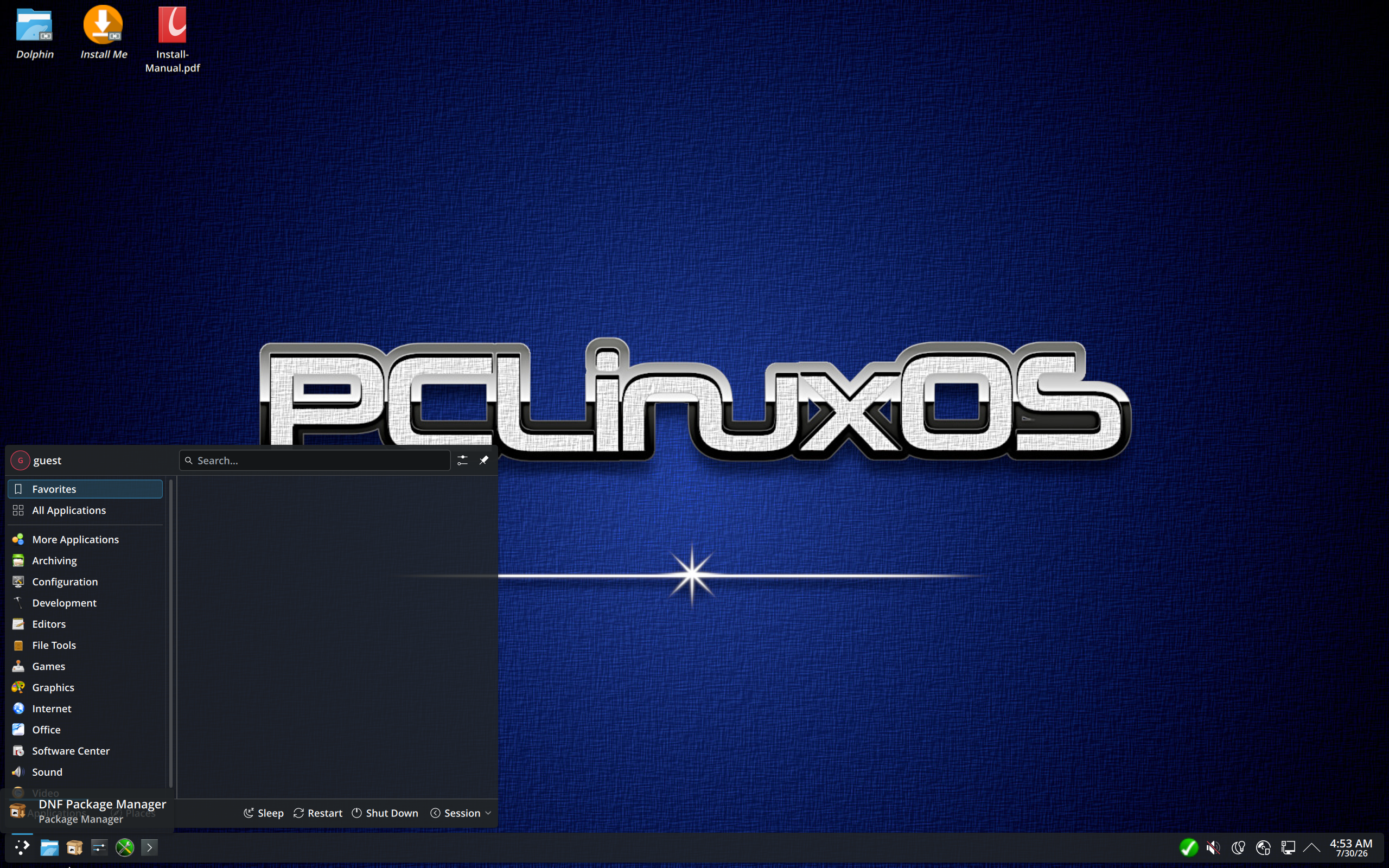
PCLinuxOS Review
PCLinuxOS (Rolling Release): The Independent Distro That Does Things Its Own Way
Almost every Linux distribution you meet is somebody’s remix — a Debian derivative, an Arch respin, a Fedora down-stream. PCLinuxOS is one of the rare exceptions. DistroWatch lists it as genuinely Independent under “Based on,” developed in the USA, with an Active status and a rolling release model. It builds its own packages, runs its own repositories, and answers to nobody’s upstream but its own community.
DistroWatch describes PCLinuxOS as a user-friendly Linux distribution with out-of-the-box support for many popular graphics and sound cards, as well as other peripheral devices. The bootable live DVD ships an easy-to-use graphical installer, and the system comes stocked with a wide range of popular applications for the typical desktop user — including browser plugins and full multimedia playback, so videos and music simply work from the first boot.
The current state of the project, per DistroWatch’s comparison table (last updated June 17, 2026), is a free, rolling-release system for x86_64 hardware with RPM and Flatpak packages and a choice of seven desktop environments. It sits at #39 in DistroWatch’s popularity ranking with about 314 hits per day, and visitors rate it 8.2 out of 10 across 128 reviews. In the same beginner-friendly lane as our Linux Mint review, PCLinuxOS targets people who want Linux to work first and ask questions later — but it gets there by a very different road.
PCLinuxOS at a Glance
| Latest snapshot tracked | June 17, 2026 (DistroWatch table) |
| Base | Independent — not derived from Debian, Ubuntu, Arch, or Fedora |
| Origin / Status | USA / Active |
| Release model | Rolling (install once, update forever) |
| Desktop choices | KDE Plasma, MATE, Xfce, LXQt, LXDE, labwc, JWM |
| Package formats | RPM and Flatpak |
| Package management | dnf, with the classic Synaptic graphical frontend in its toolset |
| Installer | DrakX graphical installer (from the live DVD) |
| Init system | SysV — no systemd |
| Architecture | x86_64 (64-bit only) |
| Journaled file systems | Btrfs, ext4, JFS, ReiserFS, XFS |
| Default browser / office suite | Firefox / LibreOffice |
| Cost | Free |
| DistroWatch popularity | #39 (~314 hits per day) |
| Visitor rating | 8.2/10 from 128 reviews |
Table note: The surrounding scrolling container is intentional. It prevents a wide table from breaking a mobile layout and lets visitors scroll horizontally when necessary.
Independence Is the Whole Point
Being independent sounds like a footnote, but it shapes everything about PCLinuxOS. Because it isn’t downstream of Debian or Fedora, there is no upstream release calendar forcing its hand and no parent distribution’s packaging politics to inherit. Its release history in DistroWatch’s table stretches back through snapshot ISOs like 2026.05.27, 2025.09, 2024.10, and the 2023.07 release — a long, unbroken line of a project maintaining its own course.
The most visible consequence of that independence is under the hood: PCLinuxOS still uses the classic SysV init system rather than systemd. That makes it one of the very few mainstream-friendly distributions to hold that line — a trait it shares with MX Linux, which also keeps a traditional init setup. For users who prefer the old init scripts and runlevels, or who simply like that their system boots the way Linux did for decades, this is a genuine differentiator rather than nostalgia.
Rolling Release Without the Drama
DistroWatch lists PCLinuxOS’s release model as Rolling in the current snapshot column (earlier snapshots are marked Semi-Rolling). The practical meaning is simple: install once from a live ISO, then keep updating — there is no “PCLinuxOS 27” upgrade cliff to plan around, and the End Of Life column in the comparison table is blank, as rolling releases intend.
The project publishes refreshed ISO snapshots periodically, so a fresh install doesn’t begin life hundreds of updates behind. And the package story has modernized with the times: DistroWatch’s newest columns show RPM packages plus Flatpak support, with dnf as the package manager — while the project’s famous graphical tools, including the Synaptic package frontend, Addlocale for adding language support, and Mylivecd for building your own customized live CD, remain part of the experience.
Get An Easy Personal Loan At Sofi
A Desktop That Works Before You Tweak It
PCLinuxOS’s headline promise is the out-of-the-box experience. The live DVD boots into a complete desktop, the DrakX graphical installer walks you through setup, and hardware support for popular graphics cards, sound cards, and peripherals is there from the start rather than assembled afterward. Browser plugins and full multimedia playback are preinstalled — the kind of “it just plays the video” completeness that beginners notice immediately.
Desktop choice is generous: KDE Plasma is the flagship edition, with MATE, Xfce, LXQt, and LXDE covering the traditional and lightweight bases, plus labwc and JWM for minimalists. If the Plasma edition is what draws you, it’s worth comparing notes with our KDE neon review — both put KDE Plasma front and center, but on very different foundations. Firefox is the default browser and LibreOffice the office suite, so the system is genuinely useful the moment the installer finishes.
The Old-School Toolbox: DrakX, Mylivecd, and RPM Roots
Longtime Linux users will recognize PCLinuxOS’s DNA in its tools. The DrakX installer and the RPM packaging format are the same lineage you’ll find in Mageia, covered in our Mageia review — both distributions carry forward the classic Mandrake-style administration toolkit, including the graphical control-center approach to system configuration that made that family famous with beginners.
Try YouTube TV | Special Discount
The standout utility is Mylivecd, which lets you remaster your own customized live CD or DVD from your installed system — your packages, your settings, your files, bootable anywhere. Addlocale extends language support across the system. It’s a toolbox built for people who like to shape their system and then take it with them, and few distributions make remastering this approachable.
Who Should Try PCLinuxOS?
- Linux beginners who want a graphical installer, a live DVD to try before committing, and multimedia that works immediately.
- Users who prefer SysV init and want a systemd-free daily driver without resorting to a niche or expert-only distro.
- KDE Plasma fans looking for the desktop on a rolling, independent base rather than a fixed-release one.
- Tinkerers and remasterers who will actually use Mylivecd to build personalized live media.
- Owners of older or modest hardware, thanks to the MATE, Xfce, LXQt, and LXDE editions.
- Anyone tired of reinstalling — the rolling model means one install that keeps updating.
Final Thoughts
PCLinuxOS is a reminder that the Linux world used to be full of independent distributions with strong opinions, and that at least one of them is still here — active, rolling, and rated 8.2/10 by the DistroWatch community. It’s free, beginner-friendly, systemd-free, and ships a complete desktop with the DrakX installer doing the heavy lifting. If the idea of a distro that charts its own course appeals to you more than yet another Ubuntu remix — and our Linux Mint review shows what the remix path looks like at its best — PCLinuxOS deserves a spin in a virtual machine at minimum.
For release details, package versions, and the full version history, see the PCLinuxOS page at DistroWatch (comparison table last updated June 17, 2026).