Zorin Review
Zorin OS 18.1: A Friendly, Windows-Style Linux Distribution for First-Time Switchers
Switching from Windows or macOS and want Linux without a steep learning curve? Zorin OS pairs an Ubuntu-based foundation with a Windows-like desktop, one-click software options, and editions for everything from modern laptops to aging hardware.
Zorin OS has built its name on a single idea: make Linux feel familiar to people leaving Windows. According to its DistroWatch listing, it is an Ubuntu-based distribution from Ireland designed especially for newcomers, with a Windows-like graphical interface and programs that mirror what Windows users already know.
The current release listed by DistroWatch is Zorin OS 18.1, released on April 15, 2026, following the major Zorin OS 18 release on October 14, 2025. It is a fixed-release distribution, free to download, and it sits at rank 7 on DistroWatch’s popularity chart (about 1,066 hits per day), with an average visitor rating of 8.6 out of 10 from 342 reviews.
Three editions are available as ISO downloads: Core (roughly 3.7 GB), Lite (roughly 3.8 GB), and Education (roughly 7.7 GB). The DistroWatch feature table lists GNOME and Xfce as the desktop choices, with the lighter Xfce desktop serving the Lite edition aimed at older or less powerful computers. Like our Linux Mint review notes about another beginner-friendly Ubuntu-based option, Zorin’s whole design centers on reducing the friction of day one.
At a Glance
| Feature | What Zorin OS 18.1 Offers |
|---|---|
| Current listed release | Zorin OS 18.1, released April 15, 2026 |
| Distribution base | Debian and Ubuntu (LTS) |
| Release model | Fixed release |
| Desktop choices | GNOME (Core, Education) and Xfce (Lite) |
| Package management | APT; deb, Flatpak, and Snap formats |
| Installer | Graphical (Ubiquity) |
| Default browser | Brave |
| Included office suite | LibreOffice |
| Supported architecture | x86_64 |
| Init system | systemd |
| Listed journaled file systems | Btrfs, ext4, JFS, ReiserFS, XFS |
| Typical ISO size | Approximately 3.7 GB (Core) to 7.7 GB (Education) |
| Price | Free |
Feature details and version information are based on the DistroWatch Zorin OS listing for release 18.1.
A Desktop Designed to Feel Like Home
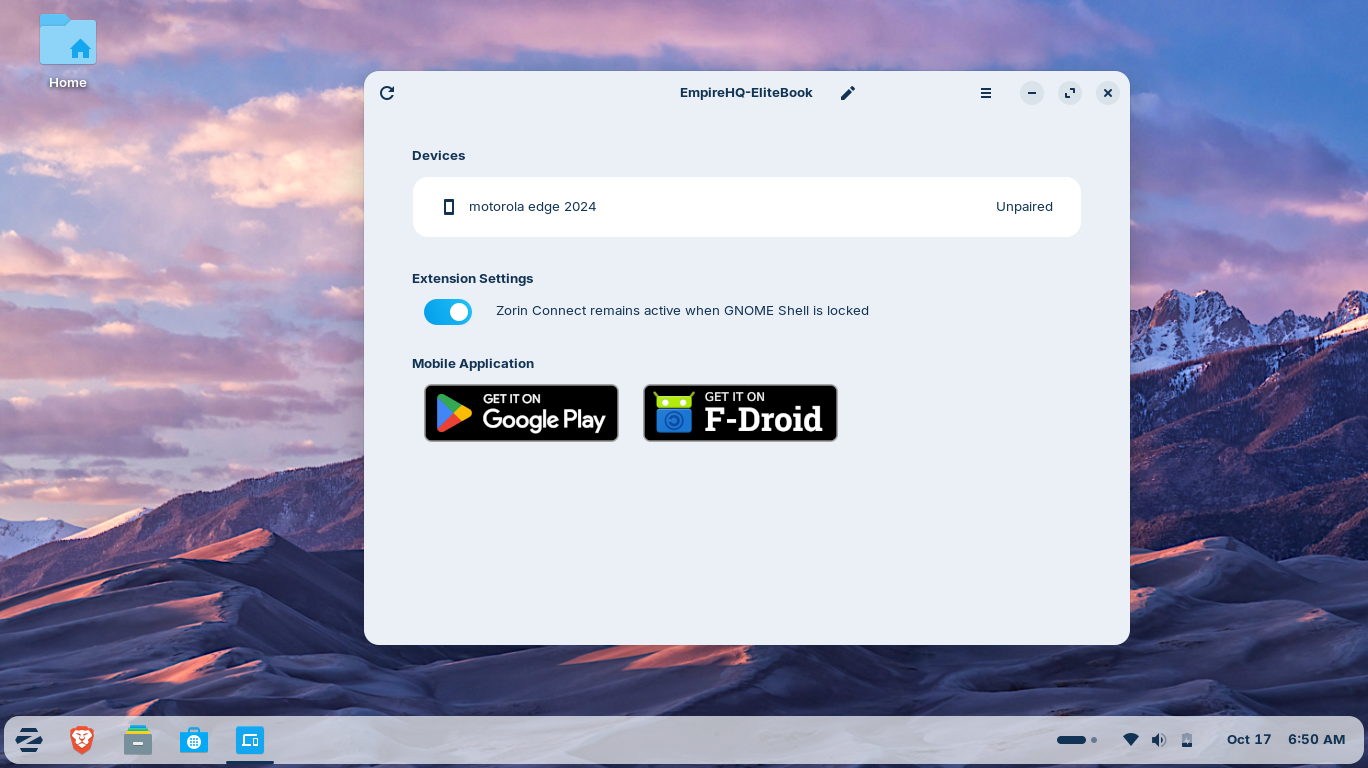
Zorin OS’s headline feature is its desktop experience. The Core edition ships a GNOME-based Zorin desktop styled with a familiar taskbar, application menu, system tray, and window controls — the same visual language Windows users already understand. For machines that need something lighter, the Lite edition uses Xfce, which the DistroWatch listing also names as a default desktop.
The 18.1 update refined that experience further: DistroWatch’s release notes for 18.1 describe improved desktop-panel behavior, better window tiling, tray-icon controls in the appearance settings, and full right-to-left script support in the panel for languages such as Arabic, Hebrew, and Urdu. Performance improvements throughout the desktop are also part of the 18.1 release.
Choice of desktop matters beyond looks. GNOME gives the Core edition its modern, polished feel with a heavy assist from Zorin’s customization layer, while Xfce keeps the Lite edition responsive on hardware that would struggle elsewhere. If you want to compare desktops across beginner-friendly distributions, Mint’s take on the Cinnamon desktop is a useful companion read.
Software Without the Learning Curve: APT, Snap, and Flatpak
Under the hood, Zorin OS uses APT with deb packages — the same Debian-family foundation as Debian itself — plus Flatpak and Snap support for desktop applications. That three-format combination means newcomers can install software the familiar graphical way while still getting current versions of many applications through sandboxed packages.
Brave ships as the default web browser, and LibreOffice is included for documents, spreadsheets, and presentations, so a fresh install is immediately useful for work. The original Zorin philosophy goes further: the distribution’s description notes it includes an application layer for running many Windows programs, and the 18.1 release adds improved Windows-application detection that points users to native Linux alternatives — a practical answer to the “but will my software work?” question every switcher asks.
The DistroWatch package table for 18.1 also lists a current stack for a fixed-release distro, including Linux kernel 6.17, GNOME Shell 50.4, Firefox 155.0.1, and GCC 16.2.0.
Fixed Releases, Long Support, and Three Editions
Zorin OS follows a fixed-release model, built on Ubuntu LTS. In practice that means major versions arrive roughly every two years, with point releases like 17.1 through 17.3 and now 18.1 bringing refinements in between. For newcomers, the fixed model is an asset: software versions stay predictable, and the system does not shift underneath you the way a rolling distribution can.
The edition split is worth understanding. Core is the standard desktop experience. Lite targets older computers with its Xfce desktop. Education is the largest download at roughly 7.7 GB and is aimed at schools and students. The graphical Ubiquity installer walks users through setup, and the systemd init system and ext4/Btrfs filesystem options will be familiar to anyone who has installed other mainstream distributions — including Pop!_OS, another Ubuntu-based option built for a smooth out-of-box experience.
Who Should Try Zorin OS?
Zorin OS is especially well suited to people who want Linux to feel approachable from the first boot:
AWS Alternative - Digital Ocean
- Windows users switching to Linux who want a familiar taskbar-and-menu layout instead of relearning desktop basics.
- Linux beginners who want a graphical installer, a complete system out of the box, and help finding Linux equivalents of their Windows software.
- Owners of older hardware who can choose the Lite edition with Xfce instead of buying a new machine.
- Families, schools, and shared computers where the Education edition’s ready-made toolset is a practical starting point.
- Anyone reviving a Windows PC as a daily driver for browsing, documents, media, and email without subscription or licensing costs.
Conversely, tinkerers who want the newest possible packages at all times or a do-it-yourself base will find the fixed, comfort-first design less exciting — and that is by design. Zorin is not trying to be everything; it is trying to be the easiest first Linux. If you later outgrow it, another Debian-based option like MX Linux shows how deep the Debian family goes once you’re comfortable.
Final Thoughts
Zorin OS 18.1 is a strong example of a distribution that knows exactly who it serves. It is free, Ubuntu-based, and fixed-release; it ships GNOME and Xfce editions, APT with Flatpak and Snap support, Brave, and LibreOffice; and every release note from the 18 series has pushed further on polish — tiling, panels, Windows-app detection, and performance.
With a DistroWatch popularity rank of 7 and an 8.6/10 visitor rating across 342 reviews, it is one of the most-tested beginner distributions in the Linux world. For anyone whose first question is “which Linux should I try?” — especially coming from Windows — Zorin OS belongs on the short list alongside Linux Mint.
Source: DistroWatch Zorin OS page (https://distrowatch.com/table.php?distribution=zorin). Information cited in this post reflects the DistroWatch listing and release notes for Zorin OS 18.1, dated April 15, 2026.