ChromeOS Review
ChromeOS Flex 16700.60.0: Google’s Cloud-First Desktop, Now Installable on Almost Any PC
ChromeOS Flex is Google’s answer to a simple question: what if the fast, secure, cloud-centered experience of a Chromebook could run on the computer you already own? Developed by Google and listed on DistroWatch as a free, lightweight Linux distribution based on Gentoo-derived ChromeOS, ChromeOS Flex installs on most x86_64 devices with AMD or Intel processors, offering what DistroWatch describes as a Chromebook-like experience.
The current release listed by DistroWatch is ChromeOS Flex 16700.60.0, released on July 28, 2026. It is a fixed-release distribution available as a free download in the 1200–1300 MB range, distributed as a BIN image that is transferred to a bootable USB flash drive. From there it can run in a live mode or be permanently installed to the computer’s hard disk using the ChromeOS Installer.
What sets ChromeOS Flex apart from a conventional Linux desktop is its philosophy: the operating system is deliberately minimal, with the Chrome web browser and Google’s cloud services at the center of everything. For users already living in Google’s ecosystem — Gmail, Drive, Docs, Android — that focus is a feature, not a limitation.
ChromeOS Flex at a Glance
| Feature | ChromeOS Flex 16700.60.0 |
|---|---|
| Release date | July 28, 2026 |
| Cost | Free |
| Based on | Gentoo, ChromeOS |
| Release model | Fixed release |
| Installation method | ChromeOS Installer (bootable USB, live mode or full install) |
| Desktop | ChromeOS desktop |
| Default browser | Chrome |
| Package format | DEB (via the Debian-based Linux subsystem) |
| Supported architecture | x86_64 |
| Download size | Approximately 1200–1300 MB |
| Status | Active |
A Chromebook Experience Without Buying a Chromebook
The core pitch of ChromeOS Flex is speed and simplicity on hardware you already have. DistroWatch lists the distribution under the categories Desktop, Live Medium, and Old Computers — and that last category is telling. ChromeOS Flex is frequently used to breathe new life into aging laptops: its lightweight design and minimal background processes mean older machines with modest processors and limited RAM can feel responsive again.
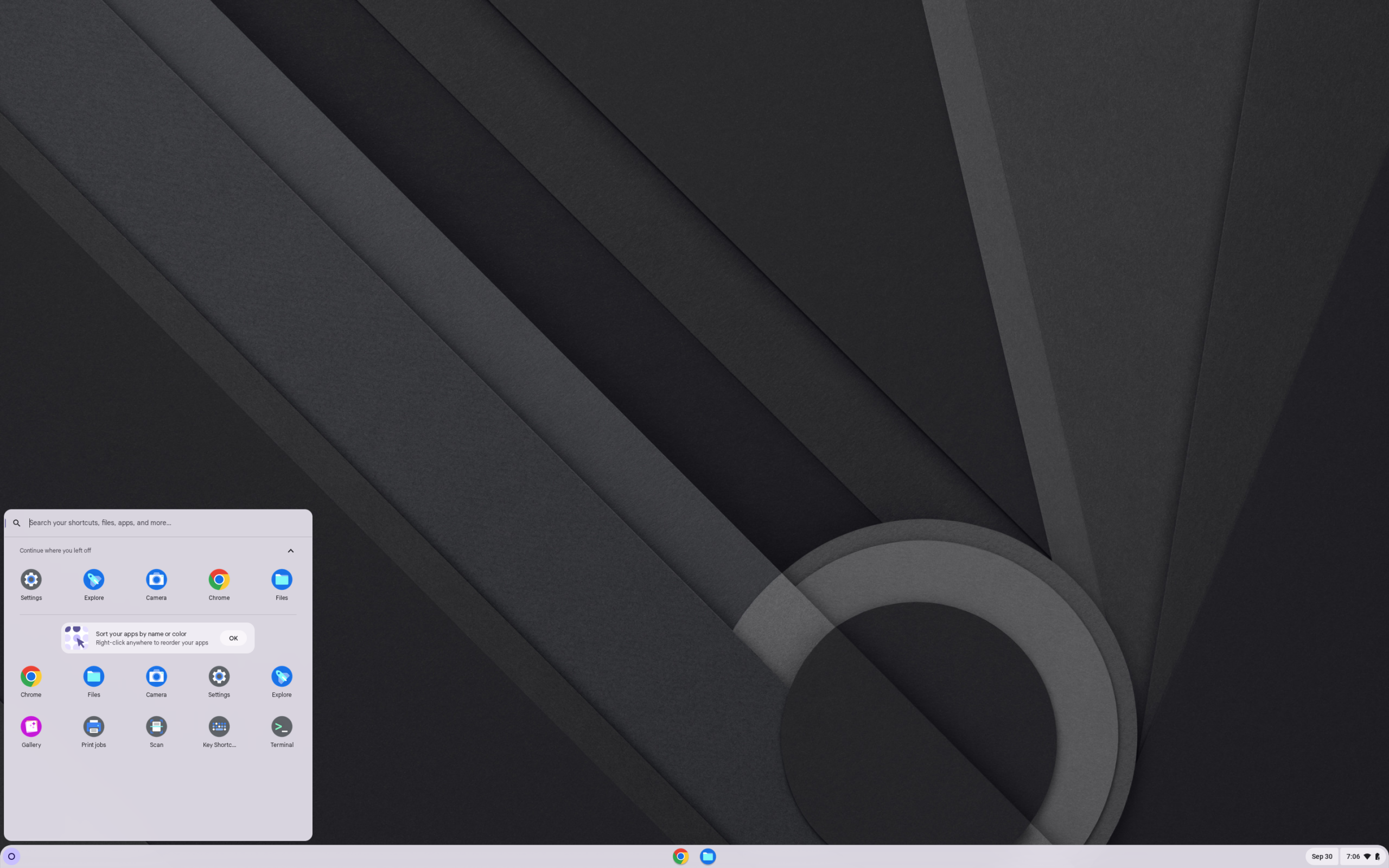
The interface will be immediately familiar to anyone who has used a Chromebook: a clean launcher, a taskbar-like shelf, system tray, and the Chrome browser as the primary application platform. Boot times are short, updates install quickly in the background, and the system is designed to be difficult to break — user data and system files are kept separate, and verified boot helps keep the system in a known-good state.
If you want a different take on the same idea, our FydeOS review covers another Chromium OS-based option that brings a ChromeOS-style desktop to standard PCs with a slightly different philosophy.
The Debian-Based Linux Subsystem
ChromeOS Flex is not limited to web apps. According to DistroWatch, its functionality can be extended by installing a Debian-based Linux subsystem with a complete Linux development environment. This is the part of the system that will interest traditional Linux users most: it brings a real Debian environment — with DEB packages and a terminal — alongside the cloud-first ChromeOS desktop.
That makes ChromeOS Flex a genuinely dual-purpose machine: a fast, low-maintenance everyday computer for browsing, email, and documents, and a capable Linux workstation for development tools, scripting, and utilities when you need them. Readers who want a pure Debian experience can compare with our Debian review; ChromeOS Flex effectively wraps that familiar foundation in Google’s streamlined shell.
Security Through Minimalism
One of ChromeOS Flex’s strongest selling points is security by design. Because the system is minimal and sandboxed — users cannot casually reach system files — malware has far less room to operate, and the automatic background updates keep the platform current without user intervention. DistroWatch’s reader reviews echo this: the current average visitor rating is a perfect 10.0 out of 10 from four reviews, with reviewers praising the stability, speed on old hardware, and the polished, minimalist interface.
That simplicity comes with a trade-off worth stating plainly: ChromeOS Flex works best when you commit to Google’s ecosystem. Offline and non-Google workflows are possible — especially with the Linux subsystem — but the system is at its best with a Google account and a reliable internet connection.
Updates, Popularity, and Staying Power
ChromeOS Flex follows a fixed release model, and DistroWatch’s popularity tracking shows it holding steady at rank 28 with 342 hits per day over the last six months — a solid mid-table position that reflects genuine, sustained interest rather than a passing fad. Google develops and maintains it, which gives the project a level of long-term backing that independent distributions rarely enjoy.
For users who want a conventional Linux desktop with similarly strong beginner appeal but without the Google dependency, our Linux Mint review is the natural comparison — Mint offers the familiar desktop, the vast Debian/Ubuntu software ecosystem, and no cloud account required.
Who Should Try ChromeOS Flex?
- Owners of aging laptops: if you have an older x86_64 machine gathering dust, ChromeOS Flex’s Live Medium option lets you test-drive it from USB before committing to an install — a lighter-weight revival path than a full traditional distro, and worth comparing with our antiX review, another specialist in old hardware.
- Google-ecosystem users: if your daily life already runs through Gmail, Drive, Docs, and an Android phone, ChromeOS Flex slots in with almost no learning curve.
- Schools, nonprofits, and shared computers: the low-maintenance, hard-to-break design and fast user switching make it a strong fit for machines used by many people.
- Developers who want a clean daily driver: the Debian-based Linux subsystem gives you a real development environment inside a fast, quiet, distraction-light desktop.
- Anyone tired of maintenance: if you want an operating system that updates itself, boots in seconds, and rarely needs troubleshooting, this is one of the simplest options in the Linux world.
Final Thoughts
ChromeOS Flex 16700.60.0 is an unusual entry in the Linux distribution landscape: a Google-built, Gentoo-derived system that trades the traditional Linux desktop for a cloud-first one, yet still offers a Debian-based Linux subsystem for those who want it. It is free, actively maintained, genuinely lightweight, and rated 10 out of 10 by DistroWatch’s readers. For reviving old hardware or simplifying daily computing — especially inside Google’s ecosystem — it is one of the most practical options available.
It is not for everyone: privacy-minded users wary of Google, and tinkerers who want full control over init systems and filesystems, will be happier with a conventional distribution. But judged on its own terms — speed, security, and simplicity — ChromeOS Flex delivers exactly what it promises.
For release details, package listings, and the full version history, see the ChromeOS Flex page at DistroWatch.