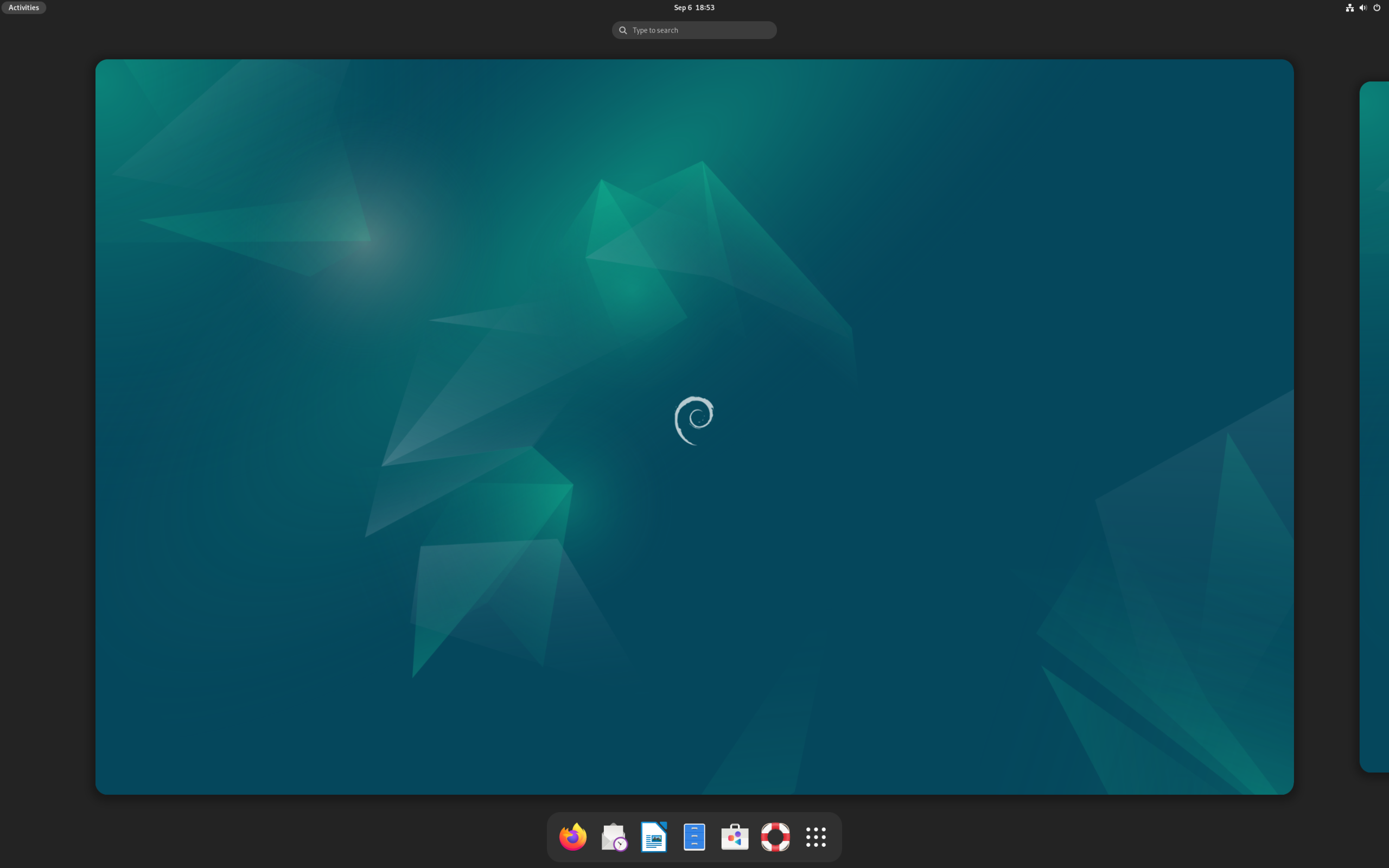
Debian 13 “Trixie”: The Bedrock of Linux, Refined
If Linux distributions were buildings, Debian would be the foundation under half of them. This is the original: an independent distribution maintained entirely by volunteers, with no corporate parent, and the source from which more desktop distros descend than any other project on earth — including Linux Mint and MX Linux, both reviewed here on LinuxInfo.
Debian 13, codenamed “Trixie”, arrived in August 2025 as the latest stable release of a project that has been shipping free operating systems since the 1990s. If you’ve never tried the “real thing” underneath the derivatives, now is a great time: Trixie pairs Debian’s legendary stability with a fresh software stack, GNOME as the default desktop, and the project’s famous 50,000-plus package archive.
At a Glance
| Latest release | Debian 13 “Trixie” (August 9, 2025) |
| Based on | Independent (the original — thousands of distros descend from it) |
| Default desktop | GNOME, with dozens of alternatives available at install time |
| Release model | Fixed (roughly every two years) |
| Package manager | APT, with .deb packages |
| Init system | systemd |
| Installer | Graphical and text-mode options |
| Architectures | x86_64, aarch64, armhf, ppc64el, riscv, s390x |
| Filesystems | Btrfs, ext4, JFS, ReiserFS, XFS |
| Price | Free, and free as in freedom — every package is gratis |
| DistroWatch popularity | Rank 5 (around 1,359 hits per day) |
The Distribution Everything Else Is Built On
Debian describes itself simply: “an association of individuals who have made common cause to create a free operating system.” That undersells it. The project’s package base, its packaging standards, and its social contract have shaped the modern Linux desktop more than any other single effort. When a distro review elsewhere says “Debian-based”, Debian itself is what they’re measuring against.
That heritage is a practical advantage, not just trivia. The overwhelming majority of desktop Linux tutorials, answers on forums, and third-party software downloads assume a Debian-style system. If you run into trouble, the path out is the best-documented in the ecosystem. Pop!_OS and MX Linux inherit much of this compatibility — but here, you get it with no intermediary at all.
Fixed Releases That Mean It
Debian is a fixed-release distribution, and it takes the concept further than almost anyone. New stable releases land roughly every two years, and once they do, the software versions are essentially frozen: you get security and bug-fix updates, but not feature churn. Trixie will be supported for years, which makes it one of the calmest platforms you can run.
This is the polar opposite philosophy of a rolling-release system like CachyOS, where the software is always the newest available. Neither approach is objectively better — rolling distros give you new features immediately, Debian gives you a system that behaves identically in year one and year four. For servers, work machines, and computers you set up for other people, that predictability is the whole point.
APT and 50,000+ Packages
Debian ships with an enormous software archive — over 50,000 packages, all free — managed by APT, the package manager that started it all. apt commands are terse, dependency resolution is mature, and because so much of the ecosystem targets .deb files, finding software outside the repositories is trivial: vendor-provided .deb downloads install with a double click.
The Debian Social Contract also matters here. Everything in the main archive meets the Debian Free Software Guidelines, so you know exactly what you’re installing — no trialware, no bundled surprises. Non-free firmware and drivers are handled separately, so you make that choice consciously rather than discovering it by accident.
A Desktop for Every Taste (and Every Machine)
The default Debian install offers GNOME, but the installer presents a whole menu of desktops — KDE Plasma, Xfce, MATE, Cinnamon, LXDE, LXQt, and more — each installed cleanly from the official archives rather than bolted on afterward. That makes Debian one of the best ways to sample a new desktop on a known-stable base.
The breadth extends to hardware. Trixie supports six architectures, from standard 64-bit PCs to ARM boards, POWER servers, and even RISC-V and s390x mainframes. Few distributions cast a wider net, which is one reason Debian remains the default answer for “what runs on this obscure hardware?”
Who Should Try Debian?
- Stability-first users: If your computer is a tool and you want it to behave the same way every morning, Trixie is built for you.
- Server and homelab builders: Debian’s fixed releases, long support windows, and systemd consistency make it a server-room staple.
- Linux learners: Learn Debian and you instantly understand Mint, Pop!_OS, and most of the desktop Linux world.
- Older or unusual hardware: Six supported architectures and lightweight desktop options mean Debian goes places flashier distros can’t.
- Freedom-minded users: The all-free archive and published social contract are the gold standard for software freedom.
Final Thoughts
Debian isn’t trying to impress you — it’s trying to outlast you. There is less hand-holding than in our Linux Mint review and less out-of-the-box polish than Pop!_OS, but what you get in return is the most time-tested, best-documented, most widely supported base in the Linux world. Install it, configure it once, and get on with your life.
For many users, Debian is the quiet destination at the end of a long distro-hopping journey: the derivative they loved, minus the middleman.
Source: facts in this review are based on the Debian listing and release data at DistroWatch’s Debian page, covering Debian 13 “Trixie” (released August 9, 2025).